AI Express Lane
Pinch or use the controls to zoom. Drag to pan when zoomed in.
AI Express Lane
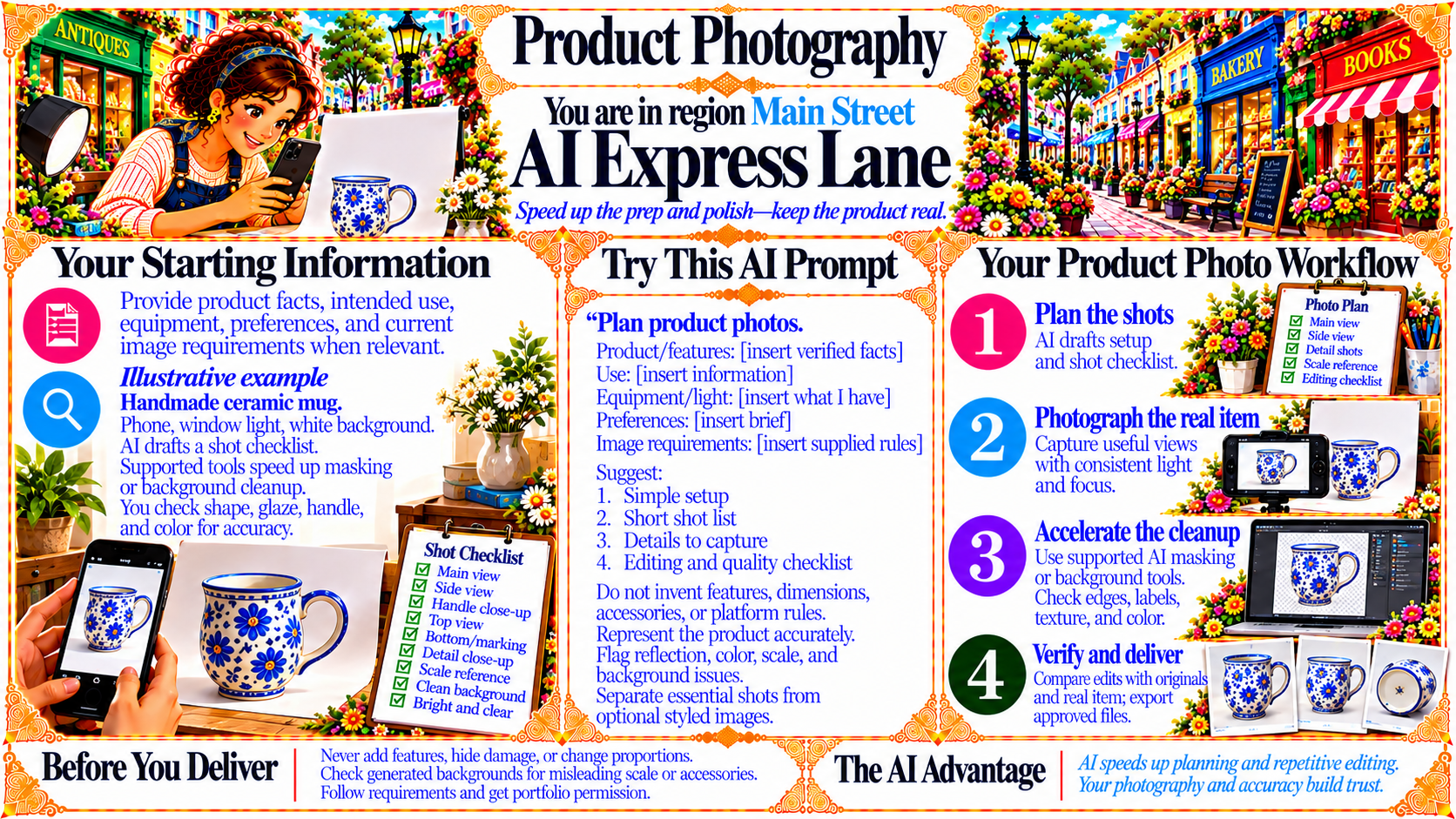
Speed up the prep and polish—keep the product real.
Source
- Original artwork, subtitle: Open original PNG
Your Starting Information
Provide product facts, intended use, equipment, preferences, and current image requirements when relevant.
Illustrative example
Handmade ceramic mug.
Phone, window light, white background.
AI drafts a shot checklist.
Supported tools speed up masking or background cleanup.
You check shape, glaze, handle, and color for accuracy.
Source
- Original artwork, left panel: Open original PNG
Your Product Photo Workflow
1. Plan the shots — AI drafts setup and shot checklist.
2. Photograph the real item — Capture useful views with consistent light and focus.
3. Accelerate the cleanup — Use supported AI masking or background tools. Check edges, labels, texture, and color.
4. Verify and deliver — Compare edits with originals and real item; export approved files.
Source
- Original artwork, right panel: Open original PNG
CheckBefore You Deliver
Never add features, hide damage, or change proportions.
Check generated backgrounds for misleading scale or accessories.
Follow requirements and get portfolio permission.
Source
- Original artwork, bottom left reminder panel: Open original PNG
The AI Advantage
AI speeds up planning and repetitive editing. Your photography and accuracy build trust.
Source
- Original artwork, bottom right panel: Open original PNG
Try This Prompt
Source
- Original artwork, Try This AI Prompt: Open original PNG