AI Express Lane
Pinch or use the controls to zoom. Drag to pan when zoomed in.
AI Express Lane
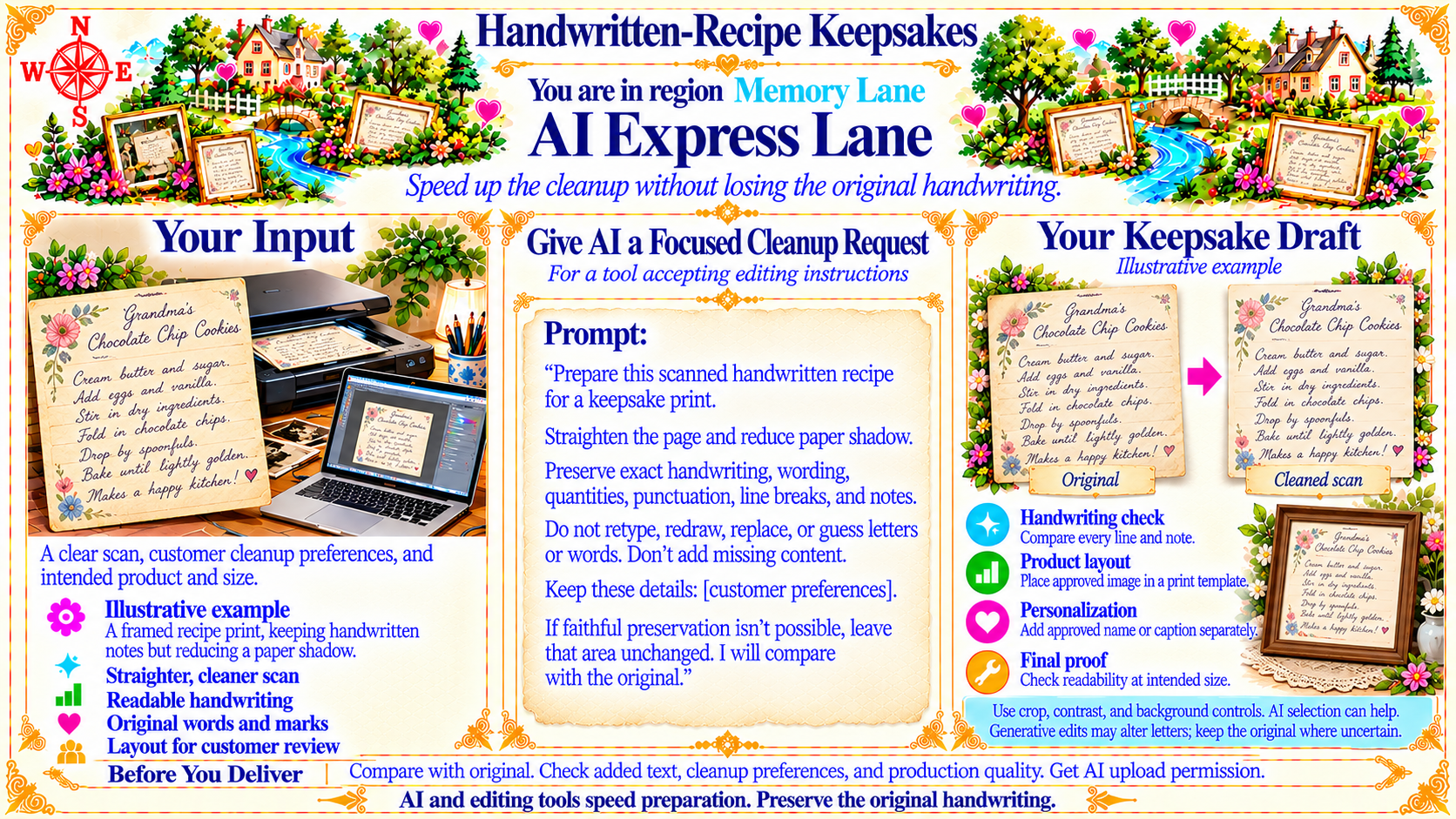
Speed up the cleanup without losing the original handwriting.
Source
- Original artwork, subtitle: Open original PNG
Your Input
A clear scan, customer cleanup preferences, and intended product and size.
Source
- Original artwork, labelled panel: Open original PNG
ExampleIllustrative example
A framed recipe print, keeping handwritten notes but reducing a paper shadow.
Source
- Original artwork, labelled panel: Open original PNG
Give AI a Focused Cleanup Request
For a tool accepting editing instructions
Source
- Original artwork, labelled panel: Open original PNG
ExampleYour Keepsake Draft
Illustrative example
Original → Cleaned scan
Source
- Original artwork, labelled panel: Open original PNG
CheckHandwriting check
Compare every line and note.
Source
- Original artwork, labelled panel: Open original PNG
CheckProduct layout
Place approved image in a print template.
Source
- Original artwork, labelled panel: Open original PNG
CheckPersonalization
Add approved name or caption separately.
Source
- Original artwork, labelled panel: Open original PNG
CheckFinal proof
Check readability at intended size.
Source
- Original artwork, labelled panel: Open original PNG
CheckEditing reminders
Use crop, contrast, and background controls. AI selection can help. Generative edits may alter letters; keep the original where uncertain.
Source
- Original artwork, lower right reminder caption: Open original PNG
CheckBefore You Deliver
Compare with original. Check added text, cleanup preferences, and production quality. Get AI upload permission.
Source
- Original artwork, lower left reminder caption: Open original PNG
CheckClosing reminder
AI and editing tools speed preparation. Preserve the original handwriting.
Source
- Original artwork, bottom caption: Open original PNG
Try This Prompt
Source
- Original artwork, Prompt: Open original PNG