AI Express Lane
Pinch or use the controls to zoom. Drag to pan when zoomed in.
AI Express Lane
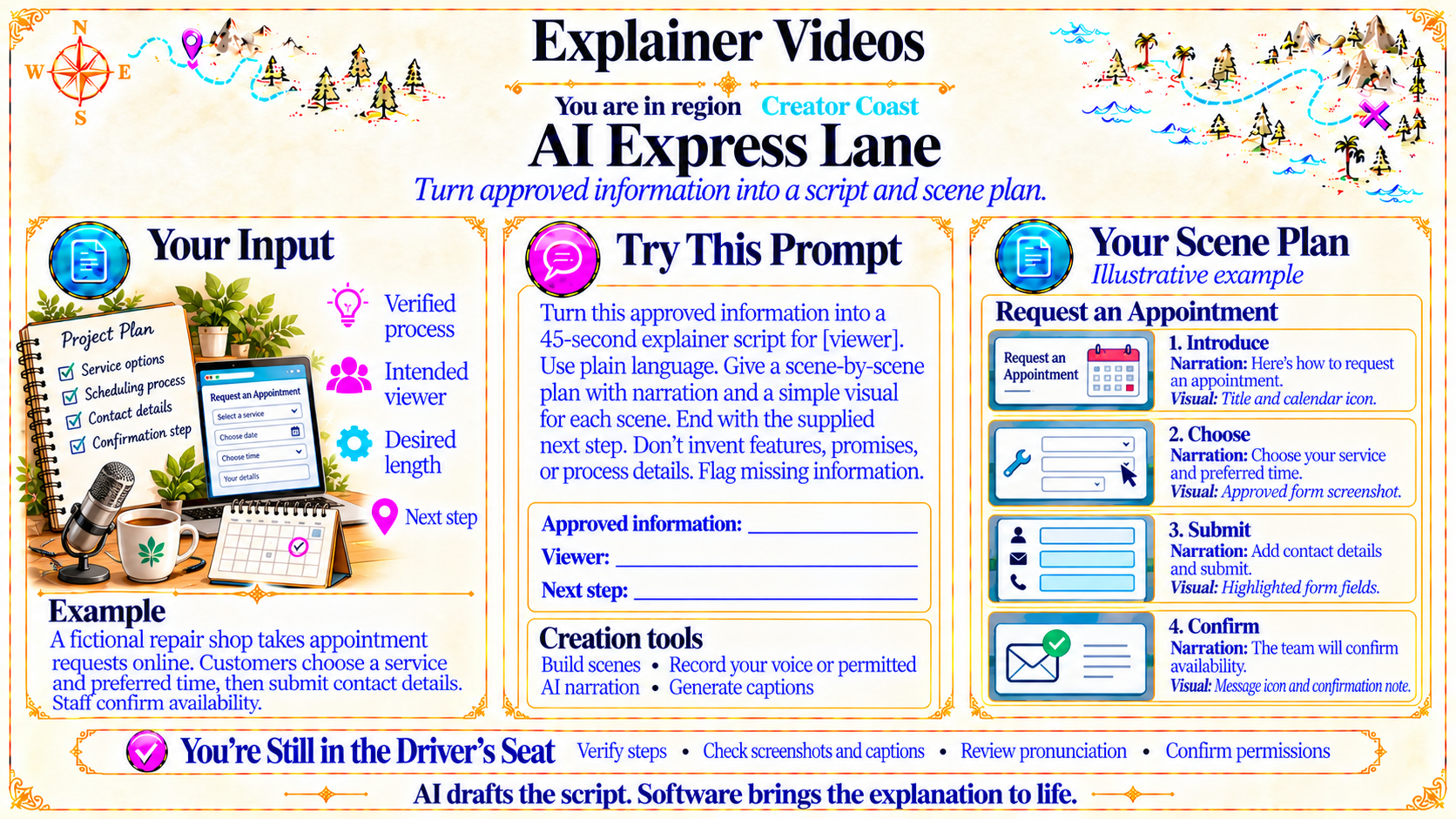
Turn approved information into a script and scene plan.
Source
- Original artwork, subtitle: Open original PNG
Your Input
Verified process
Intended viewer
Desired length
Next step
Source
- Original artwork, left panel: Open original PNG
ExampleYour Scene Plan
Illustrative example
Source
- Original artwork, right panel: Open original PNG
ExampleRequest an Appointment
1. Introduce Narration: Here’s how to request an appointment. Visual: Title and calendar icon.
2. Choose Narration: Choose your service and preferred time. Visual: Approved form screenshot.
3. Submit Narration: Add contact details and submit. Visual: Highlighted form fields.
4. Confirm Narration: The team will confirm availability. Visual: Message icon and confirmation note.
Source
- Original artwork, illustrative example panel: Open original PNG
Creation tools
Build scenes • Record your voice or permitted AI narration • Generate captions
Source
- Original artwork, lower center panel: Open original PNG
CheckYou’re Still in the Driver’s Seat
Verify steps • Check screenshots and captions • Review pronunciation • Confirm permissions
Source
- Original artwork, bottom reminder strip: Open original PNG
CheckAI drafts the script. Software brings the explanation to life.
Source
- Original artwork, bottom caption: Open original PNG
Try This Prompt
Source
- Original artwork, Try This Prompt: Open original PNG