AI Express Lane
Pinch or use the controls to zoom. Drag to pan when zoomed in.
AI Express Lane
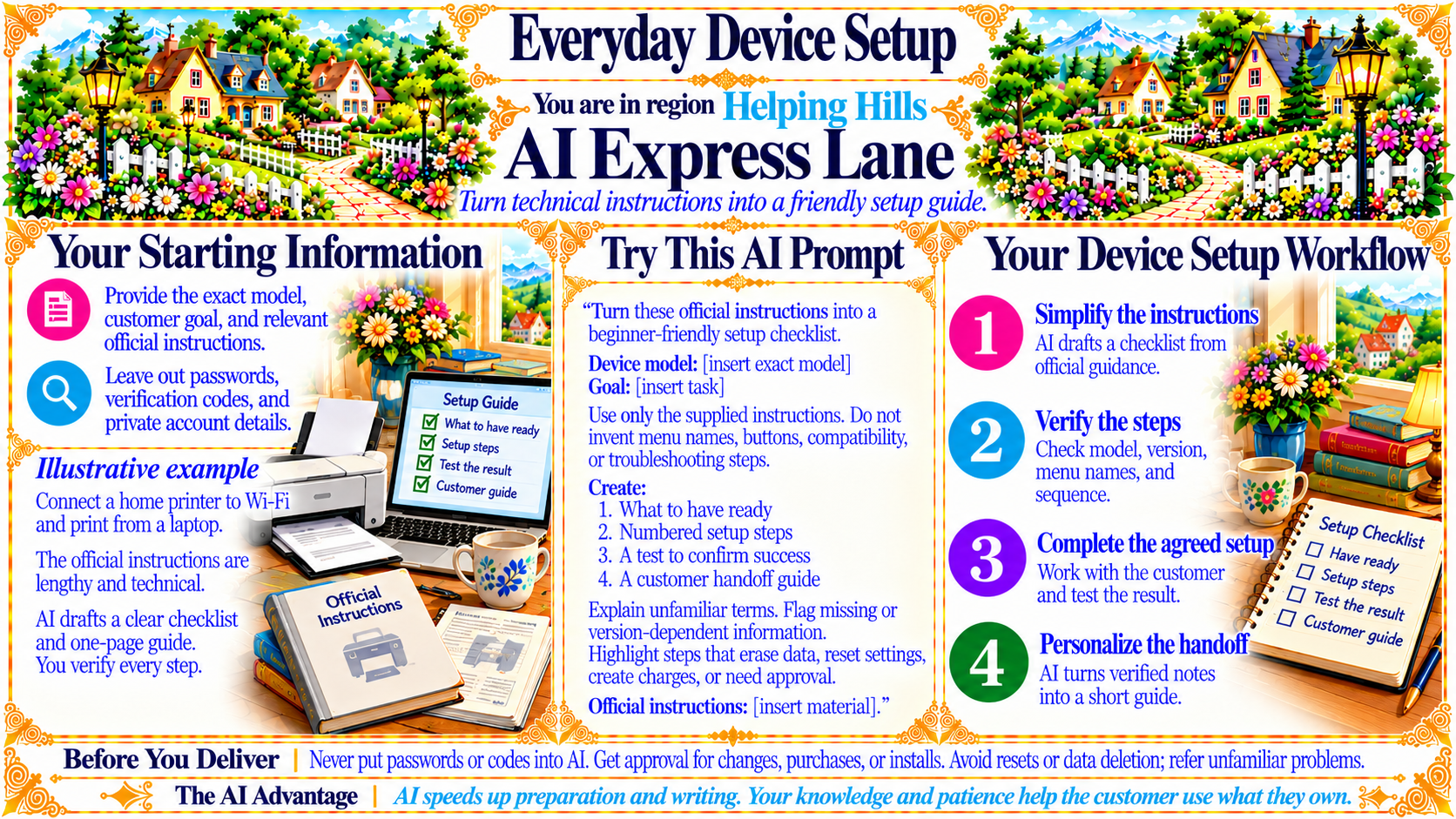
Turn technical instructions into a friendly setup guide.
Source
- Original artwork, subtitle: Open original PNG
Your Starting Information
Provide the exact model, customer goal, and relevant official instructions.
Leave out passwords, verification codes, and private account details.
Source
- Original artwork, left panel: Open original PNG
ExampleIllustrative example
Connect a home printer to Wi-Fi and print from a laptop.
The official instructions are lengthy and technical.
AI drafts a clear checklist and one-page guide.
You verify every step.
Source
- Original artwork, left lower panel: Open original PNG
Your Device Setup Workflow
1. Simplify the instructions — AI drafts a checklist from official guidance.
2. Verify the steps — Check model, version, menu names, and sequence.
3. Complete the agreed setup — Work with the customer and test the result.
4. Personalize the handoff — AI turns verified notes into a short guide.
Source
- Original artwork, right panel: Open original PNG
CheckBefore You Deliver
Never put passwords or codes into AI. Get approval for changes, purchases, or installs. Avoid resets or data deletion; refer unfamiliar problems.
Source
- Original artwork, bottom banner: Open original PNG
CheckThe AI Advantage
AI speeds up preparation and writing. Your knowledge and patience help the customer use what they own.
Source
- Original artwork, bottom banner: Open original PNG
Try This Prompt
Source
- Original artwork, center prompt panel: Open original PNG